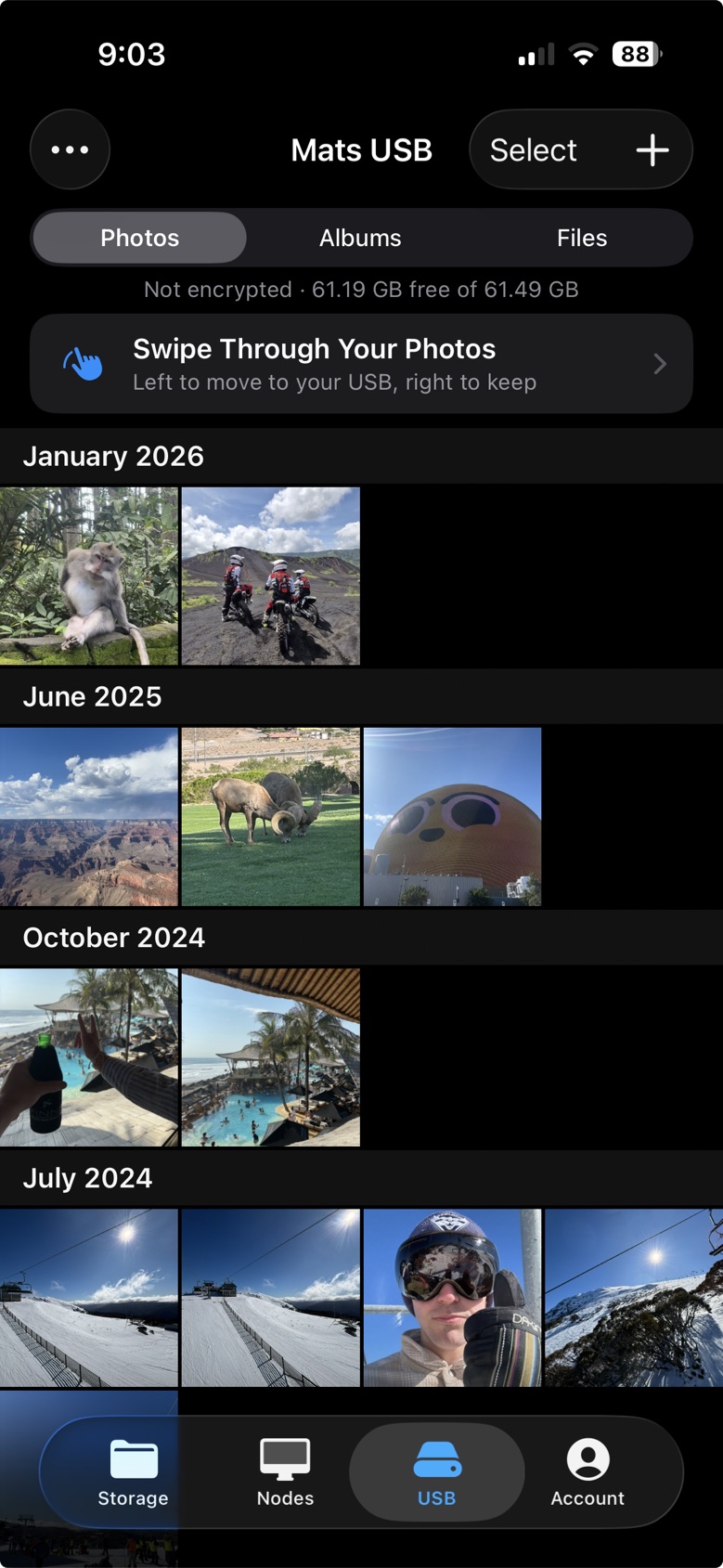
Before you start
-
A USB drive
It doesn't have to be empty. Anything already on it stays as it is.
-
The app
Uncloud for iPhone, free on the App Store.
-
No account
You only need one to encrypt your USB.
Connect it
You'll only need to do this once for each USB.
-
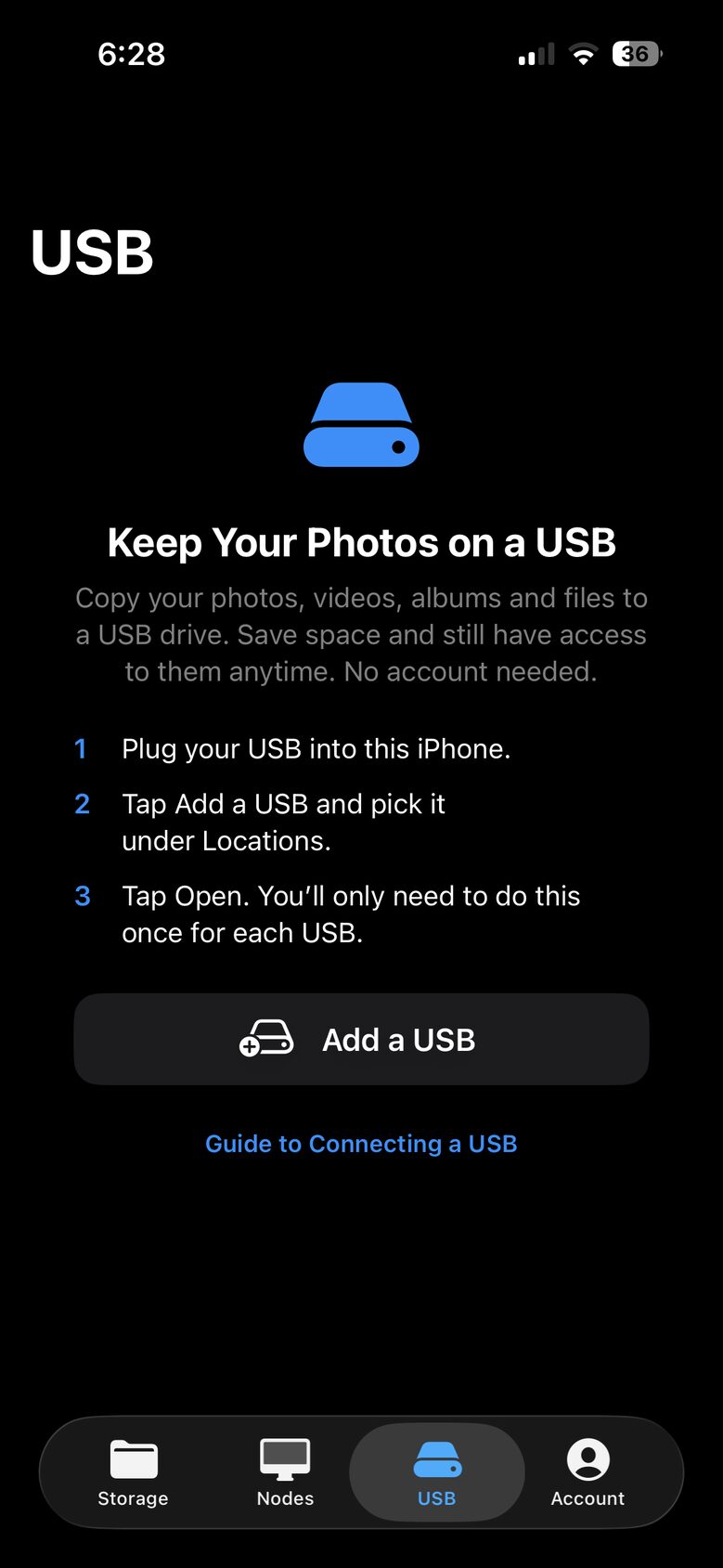
Step 1 of 9
Plug in your USB
Plug your USB into your iPhone, open the USB tab in Uncloud and tap Add a USB.
-
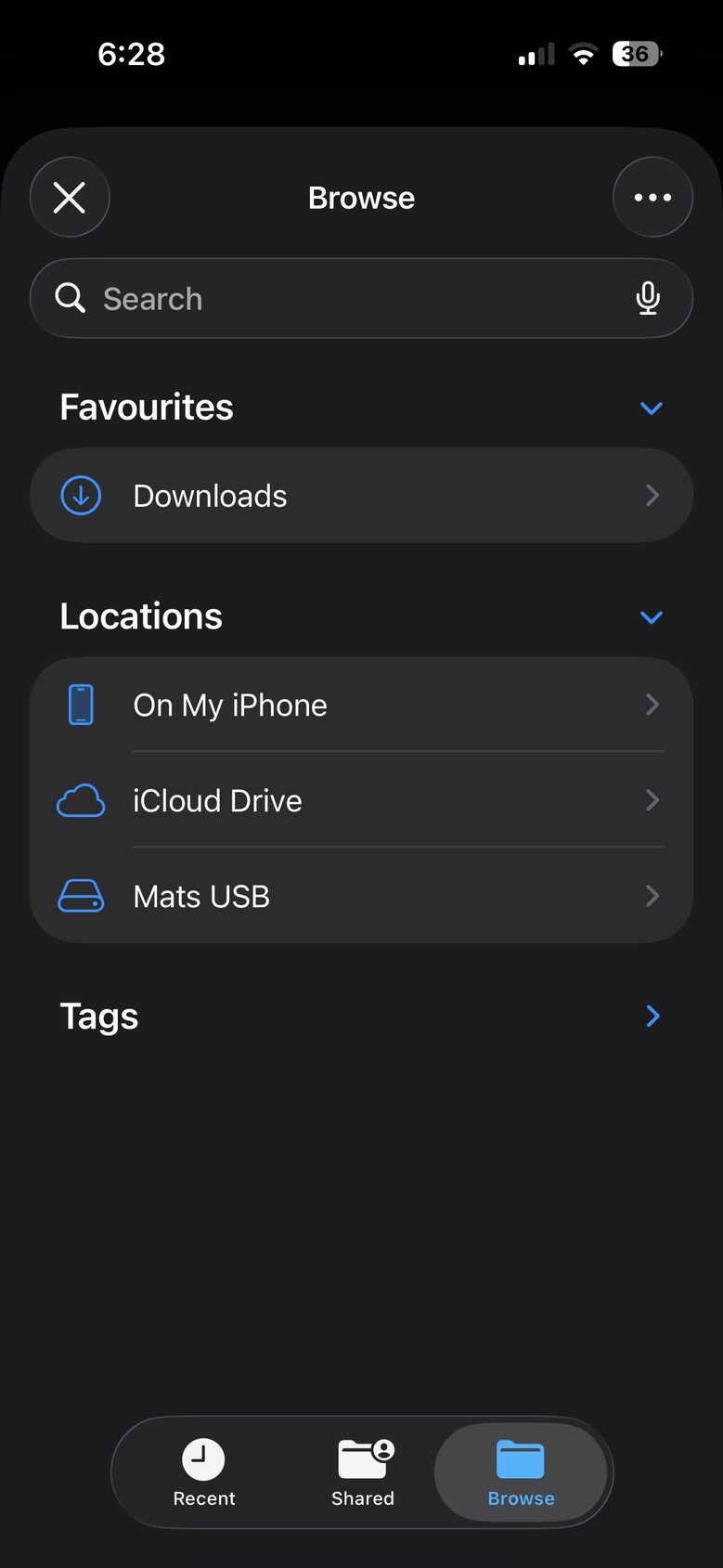
Step 2 of 9
Pick it under Locations
Your USB is listed by its name, below On My iPhone and iCloud Drive. Tap it.
-
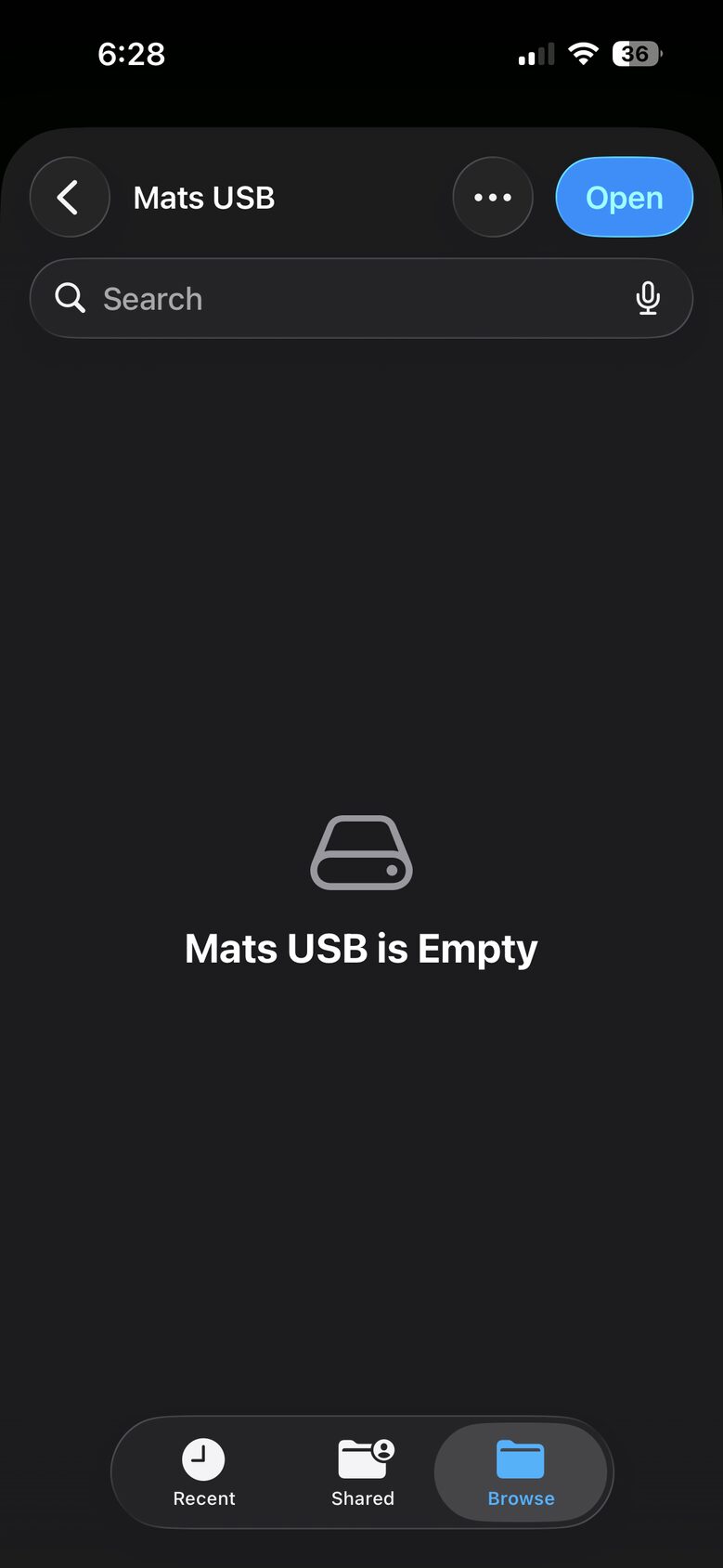
Step 3 of 9
Tap Open
Open is in the top corner. That's it, your iPhone can now reach the USB.
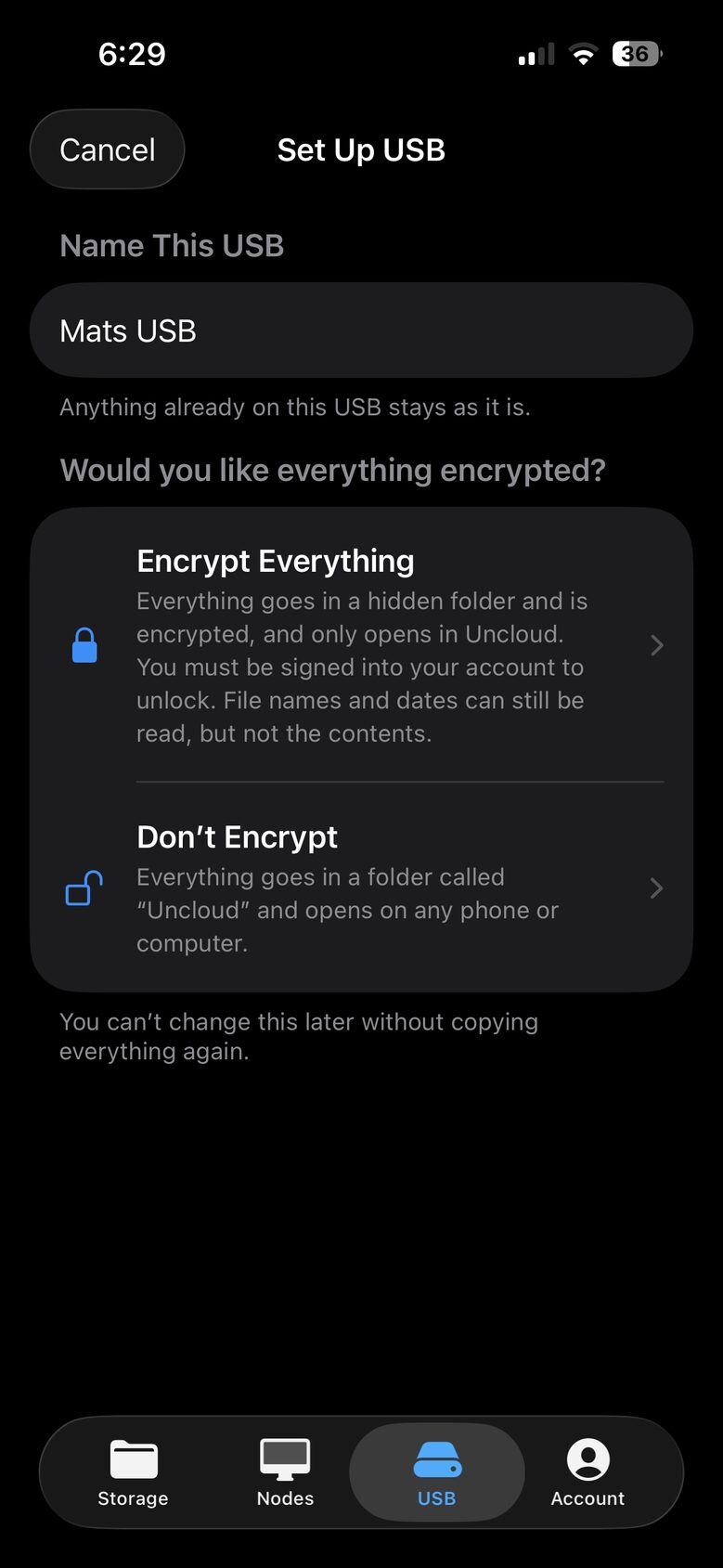
Step 4 of 9
Name it, then choose
Would you like everything encrypted?
-
Encrypt Everything
Everything goes in a hidden folder and is encrypted, and only opens in Uncloud. You must be signed in to your account to unlock, with an internet connection. File names and dates can still be read, but not the contents.
-
Don't Encrypt
Everything goes in a folder called "Uncloud" and opens on any phone or computer.
Choose carefully. You can't change this later without copying everything again.
Copy your photos
-
Step 5 of 9
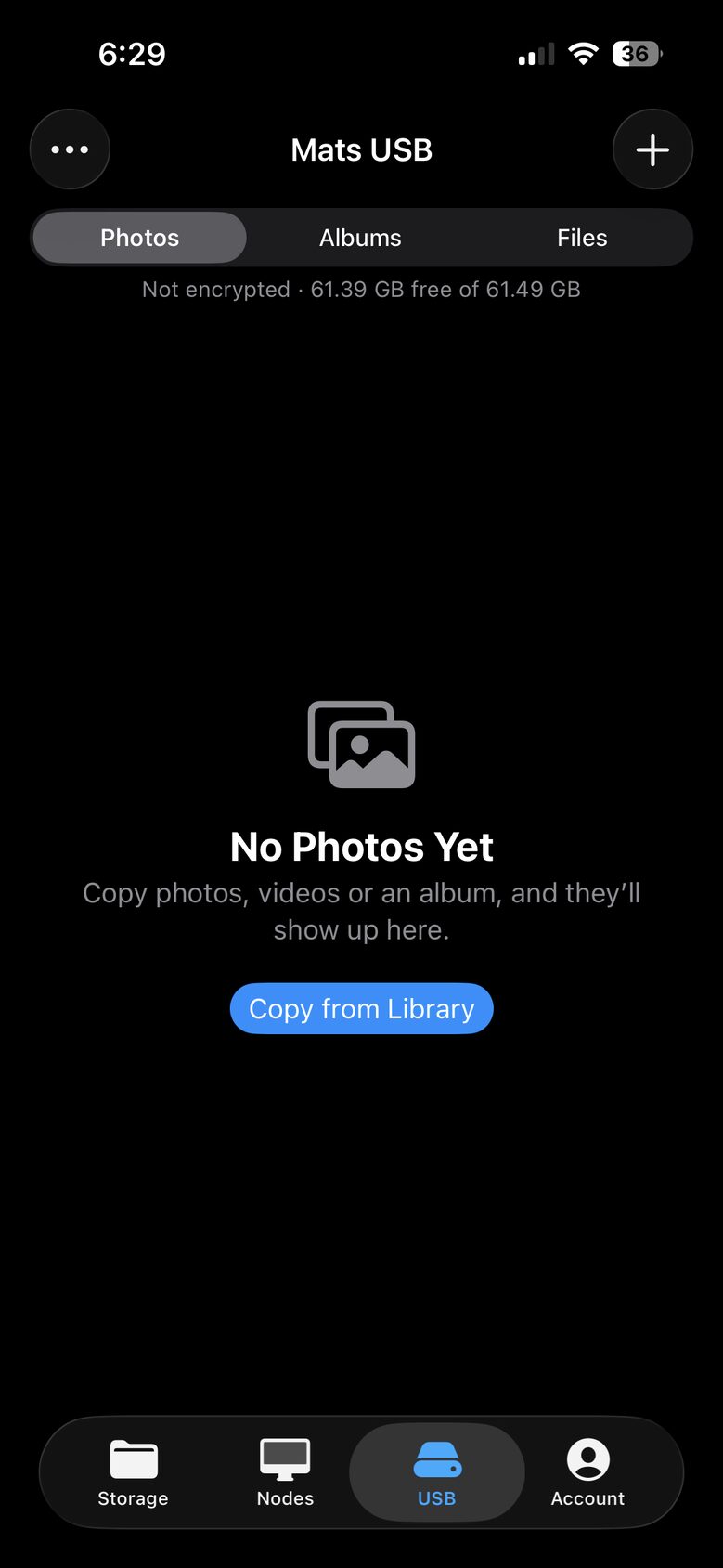
Copy from your library
Your USB is ready, with how much space is free shown at the top. Tap Copy from Library. Later on, use the + button.
-
Step 6 of 9
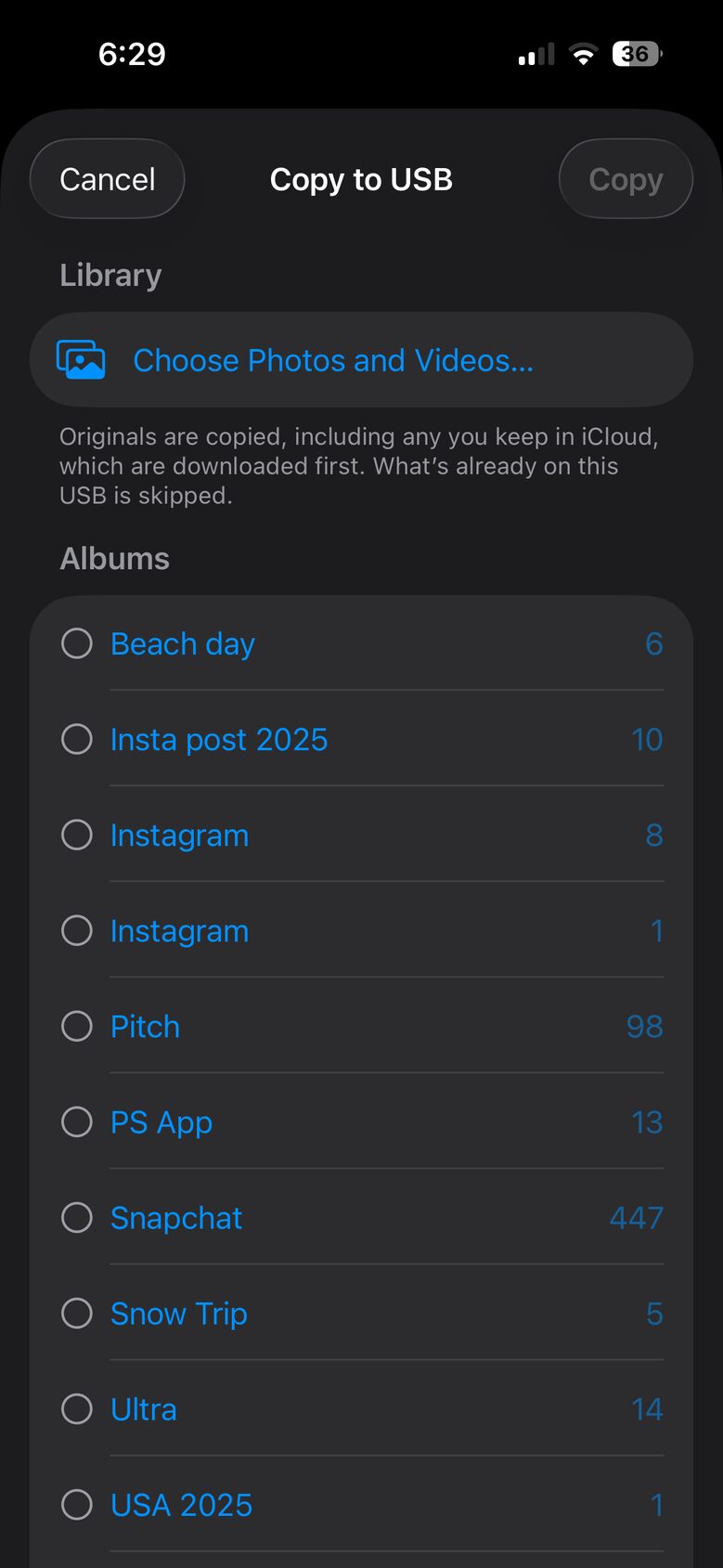
Choose what to copy
Pick photos and videos, or whole albums, then tap Copy.
Originals are copied, including any you keep in iCloud, which are downloaded first. What's already on this USB is skipped.
Step 7 of 9
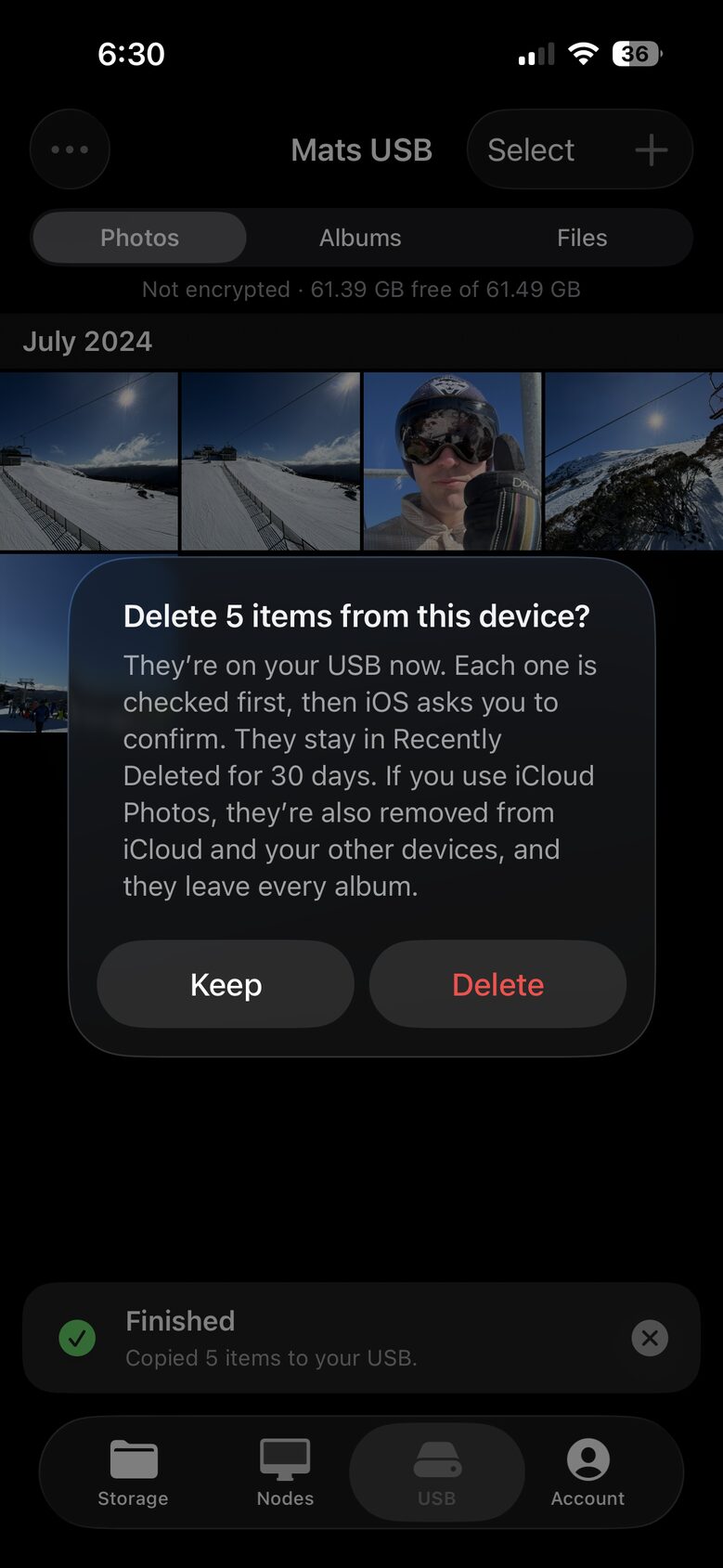
Keep them on your iPhone, or get the space back
When the copy finishes, tap Keep to leave them where they are, or Delete to remove them from your iPhone.
Get to them anytime
-
Step 8 of 9
Open them in Uncloud
Plug in your USB and open the USB tab. Tap a photo to see it full screen, save it back to your library, or delete it from the USB.

-
Step 9 of 9
Or open them on a computer
If you chose Don't Encrypt, plug your USB into any phone or computer and open the folder called Uncloud. Your photos are ordinary files, and each album has a folder of its own.
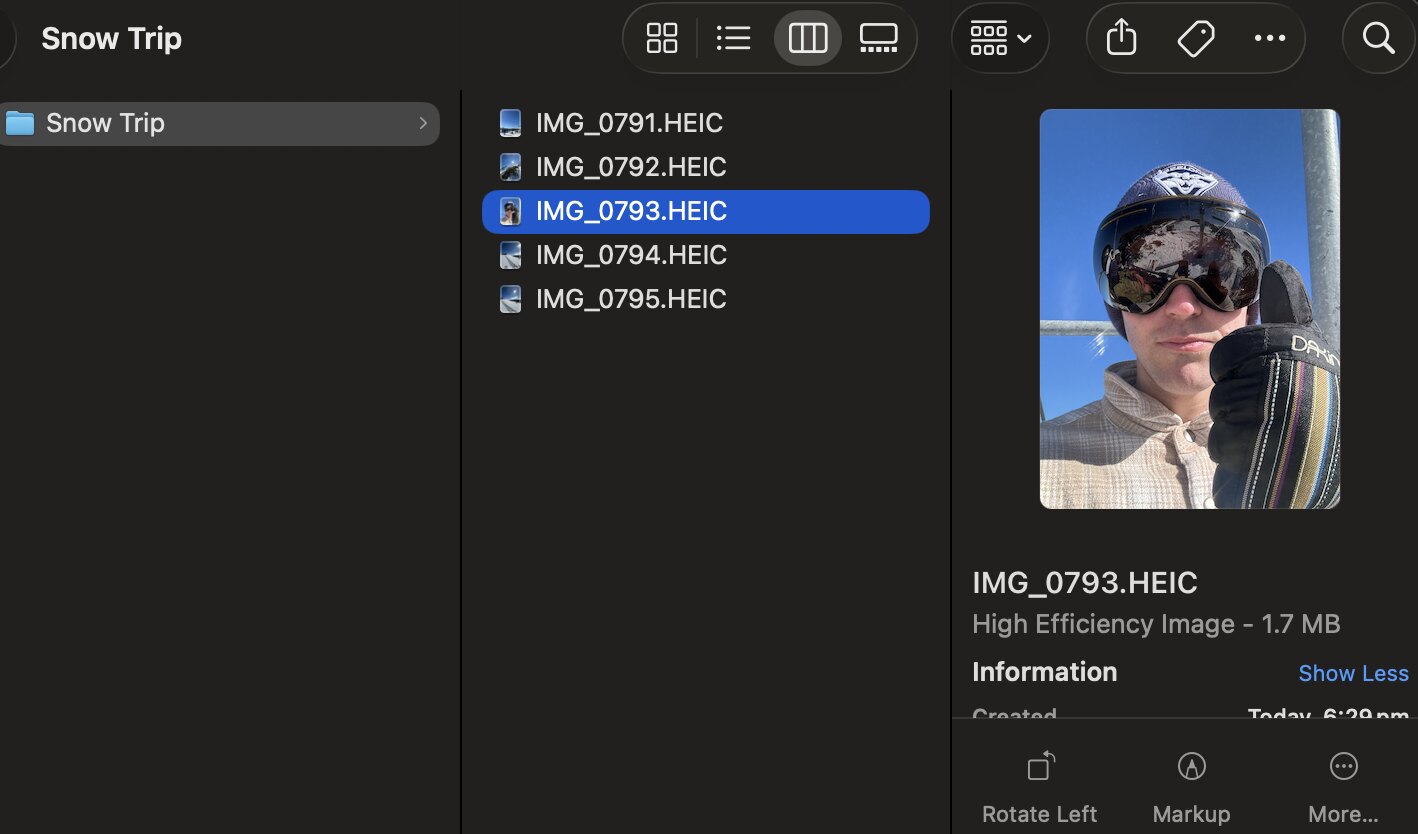
An album on a Mac, with the same photos as on your iPhone.